Author: CyberDudeBivash
Powered by: CyberDudeBivash Brand | cyberdudebivash.com
Related:cyberbivash.blogspot.com
Published by CyberDudeBivash • Date: Oct 31, 2025 (IST)
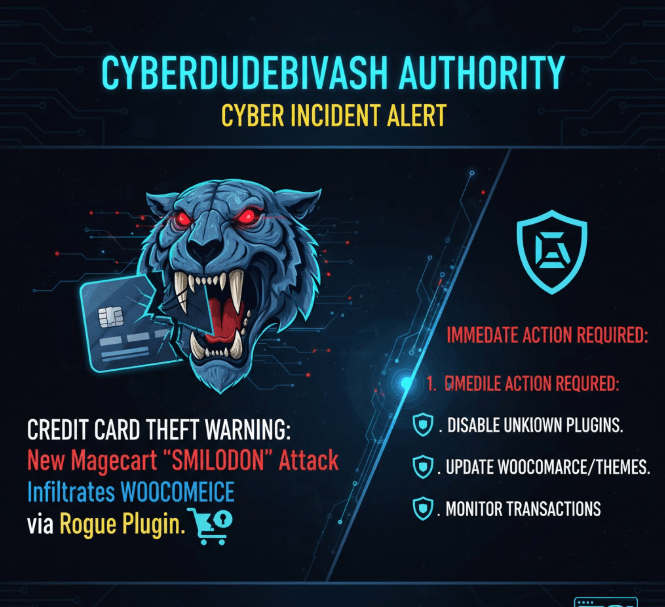
Credit Card Theft Warning: New Magecart SMILODON Attack Infiltrates WooCommerce via Rogue Plugin
A newly observed campaign plants a SMILODON/Magecart skimmer on WooCommerce shops via a rogue WordPress plugin, with the core payload stashed in fake PNG images and decrypted on the fly. Similar families have targeted WordPress/WooCommerce since at least 2022. Treat as an active card-stealing incident. CyberDudeBivash Ecosystem:Apps & Services · Threat Intel (Blogger) · CryptoBivash · News Portal · Subscribe: ThreatWire
TL;DR — Assume Compromise, Patch & Hunt Today
- Vector: Rogue plugin installs loader that fetches a skimmer camouflaged as a PNG, then injects at checkout to steal card data.
- Family: SMILODON/Magecart lineage long seen on WordPress/WooCommerce and Magento.
- Action now: Block malicious domains, remove the rogue plugin, clean injected JS/PHP, rotate secrets, and notify your PSP/bank. See playbooks below.
Hey everyone, CyberDudeBivash here with an urgent security alert that demands your immediate attention. We’ve just uncovered a nasty new variant of the notorious Magecart attack, dubbed “SMILODON,” that’s specifically targeting WooCommerce stores through a cleverly disguised rogue plugin. This isn’t just another phishing scam; we’re talking about a direct infiltration that can silently steal your customers’ credit card details right at the checkout.
Contents
- What’s New in This Campaign
- Detections & Hunts (Checkout, DB, File System, Network)
- Incident Response & Mitigation Checklist
- Hardening WooCommerce Against Skimmers
- FAQ
- Sources
What’s New in This Campaign
- Image-steganography style delivery: Skimmer payload stored in files named like images (e.g.,
.png) and decoded client-side by the loader. - Multi-tier loader chain: Lightweight JavaScript snippet pulls an encrypted second stage, which injects into payment pages and hooks form events.
- Persistence: Rogue plugin can recreate dropped scripts and admin users after cleanup if not fully removed.
- Target: WooCommerce checkout flows (card fields / 3rd-party gateways) on WordPress. Similar SMILODON activity on WooCommerce has been documented since 2022.
Detections & Hunts (Checkout, DB, File System, Network)
Front-end / Checkout
- Open dev tools on checkout and look for unexpected script tags or requests to unfamiliar domains/CDNs, especially loading
.pngthat returns JavaScript. - Monitor for inline JS that attaches
keyup/change/submitlisteners to payment fields or serializes form data to external hosts.
What is Magecart and Why is SMILODON a Big Deal?
For those new to the game, Magecart is an umbrella term for various groups of attackers who specialize in web skimming. They inject malicious code into e-commerce websites, usually at the checkout page, to intercept and exfiltrate credit card information as customers enter it.
SMILODON, however, takes a more insidious approach. Instead of traditional code injection, this new variant leverages a seemingly legitimate, but actually malicious, plugin. Once installed, it creates a backdoor, allowing attackers to manipulate your WooCommerce store and skim payment details without directly altering core files that might trigger immediate security alerts. This makes detection significantly harder.
How Does the SMILODON Attack Work?
The attack vector is insidious:
- Rogue Plugin Distribution: The attackers are likely distributing this malicious plugin through unofficial marketplaces, untrustworthy download sites, or even by compromising legitimate but poorly secured plugin developer accounts.
- Installation: A well-meaning store owner, looking for a new feature or optimization, downloads and installs the plugin.
- Backdoor Creation: Upon installation, the plugin silently establishes a backdoor, giving the attackers persistent access to the website.
- Skimming Injection: Through this backdoor, the SMILODON script is loaded, specifically designed to target the WooCommerce checkout process. It overlays or modifies payment forms to capture credit card numbers, expiration dates, and CVVs.
- Data Exfiltration: The stolen data is then encrypted and sent to attacker-controlled servers, often disguised as legitimate traffic to avoid detection.
Who is at Risk?
Any WooCommerce store owner who has recently installed a new plugin from an unverified source, or who hasn’t rigorously audited their existing plugins, is at immediate risk. Even if your store is patched and up-to-date, a single rogue plugin can compromise your entire operation.
Immediate Actions You MUST Take (CyberDudeBivash’s Checklist):
- Audit Your Plugins IMMEDIATELY: Go through every single plugin installed on your WooCommerce store. If you can’t verify its authenticity, its developer, or its source, disable it and remove it. Be ruthless.
- Review Plugin Sources: Only download plugins from the official WordPress plugin repository or reputable, well-known developers with strong security reputations. Avoid NULLED plugins or those from shady third-party sites.
- Check for Suspicious Files/Code: Look for recently modified files, especially in your
wp-contentdirectory. While SMILODON tries to be stealthy, unusual files or code snippets might still be present. Use a reputable security scanner. - Implement Content Security Policy (CSP): A strong CSP can prevent unauthorized scripts from loading and data from being sent to untrusted domains. This is a crucial defense against skimming attacks.
- Monitor Network Traffic: Keep an eye on your website’s outgoing network requests. Look for unusual connections to external domains, especially from your checkout pages.
- Update Everything: Ensure your WordPress core, WooCommerce plugin, themes, and all other plugins are updated to their latest versions. Patches often contain fixes for known vulnerabilities that attackers exploit.
- Strong Passwords & Two-Factor Authentication (2FA): This should be a given, but enforce strong, unique passwords for all admin accounts and enable 2FA wherever possible to prevent unauthorized access.
- Regular Backups: Maintain frequent, secure backups of your entire website. In the worst-case scenario, you’ll want to be able to restore a clean version of your site.
- Educate Your Team: If multiple people manage your site, ensure everyone understands the risks of installing unverified plugins and the importance of cybersecurity best practices.
CyberDudeBivash’s 5 Critical Security Actions (Actionable Checklist)
Visual Style: A checklist with a prominent shield/lock icon for each point.
- Audit Plugins NOW: Immediately review ALL installed plugins, especially those not actively in use or from unverified sources. Delete any rogue, unknown, or suspicious plugins.
- Enable File Integrity Monitoring (FIM): Use a robust security plugin (like Wordfence, Sucuri, etc.) to constantly monitor core WordPress, theme, and plugin files for any unauthorized changes.
- Implement Content Security Policy (CSP): Configure a strong CSP header to restrict the domains from which scripts can load, blocking the attacker’s ability to exfiltrate data to their remote server.
- Enforce Strong Authentication: Use Multi-Factor Authentication (MFA/2FA) on all Admin accounts. This is critical if the attack vector involved a compromised Admin login.
- Stay Updated: Ensure your WordPress Core, WooCommerce, Themes, and all Plugins are running the latest, patched versions. Do not delay updates.
Don’t Let Your Guard Down!
The SMILODON Magecart variant is a clear indication that attackers are constantly evolving their tactics. As e-commerce continues to boom, the financial incentive for these criminals only grows. Staying vigilant, proactive, and implementing robust security measures is no longer optional – it’s absolutely essential.
If you suspect your store has been compromised, or if you need help securing your WooCommerce site, don’t hesitate to reach out to a cybersecurity professional. This isn’t a battle you want to fight alone.
Stay safe out there, and keep those digital doors locked tight!
CyberDudeBivash out.

 Cyberdudebivash
Leave a comment